Encrypting environment variables in AWS Lambda function

Environment variables go hand-in-hand with any piece of code. But there are times when we don’t want to expose the value of these variables to everybody who have access to the code — database passwords, for instance.
The following guide specifically focusses on encrypting environment variables for AWS Lambda functions, both at rest and in transit.
Create a key using AWS KMS
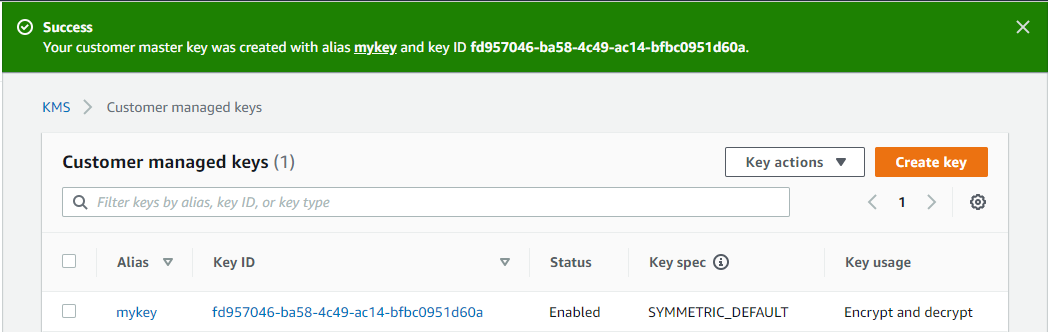
The first step will be to create a key to be used for encryption. AWS Key Management Service (KMS) allows users to create a key which they can use within the other AWS services to encrypt information. Users can either create a key within KMS or import their existing key into KMS.
Once created, AWS will provide you with an alias that can be referenced within other AWS services — in our case it’ll be the Lambda function.
Add environment variable in Lambda function
Next, we’ll use this key to encrypt our environment variable in our Lambda function. Within your Lambda function, scroll to the section Environment variables and add your sensitive information as a key-value pair.
Expand the Encryption configuration section.
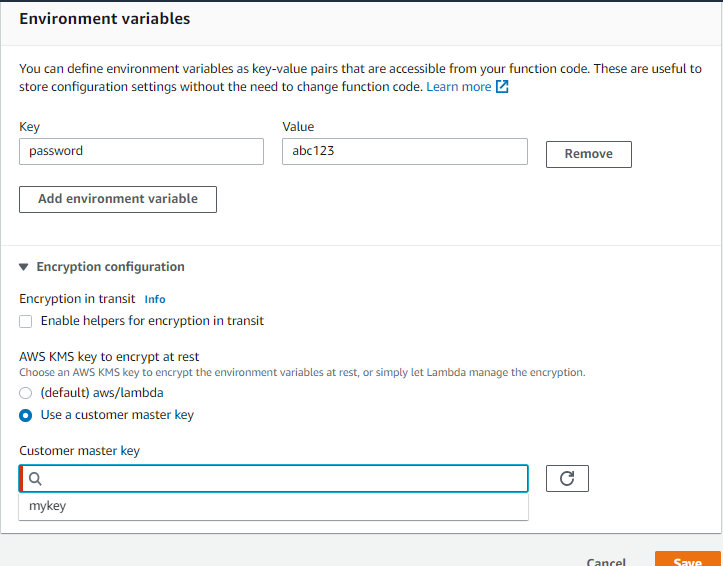
You’ll see that by default AWS encrypts the variables at rest using Lambda. Select the option to use customer master key and you’ll see your KMS key alias show up in the list.
Select the key and hit save. The variable is now encrypted at rest. However, that still displays the value as plain text within your Lambda function. Go ahead and hit save to verify that the value is displayed in plain text within your function.
Encryption in transit
For some use cases, this is not enough and you’d not want to display the value as plaintext in your function even though the value is encrypted at rest.
For those cases, you can encrypt the variable in transit. Go back to your environment variable and under Encryption configuration, check the box that says ‘Enable helpers for encryption in transit’
You’ll be presented with a button ‘Encrypt’ besides each of your variables.
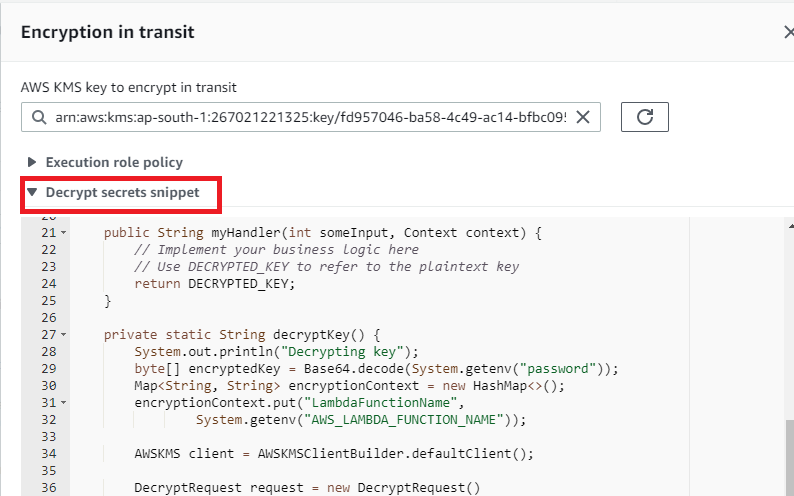
Click on encrypt for all the variables that you want to encrypt in transit, one by one. It’ll take you to another page where you’ll have to select the KMS key again and click on Encrypt.
You’ll notice the plaintext value of your variable being replaced by a random string.
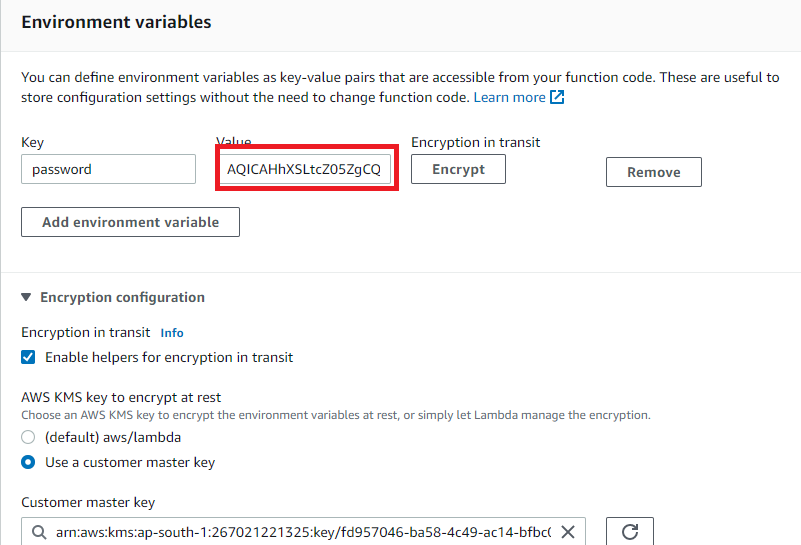
You have successfully encrypted your variable in transit as well as at rest and you can verify that the variable’s value is no longer displayed in plain text within your function.
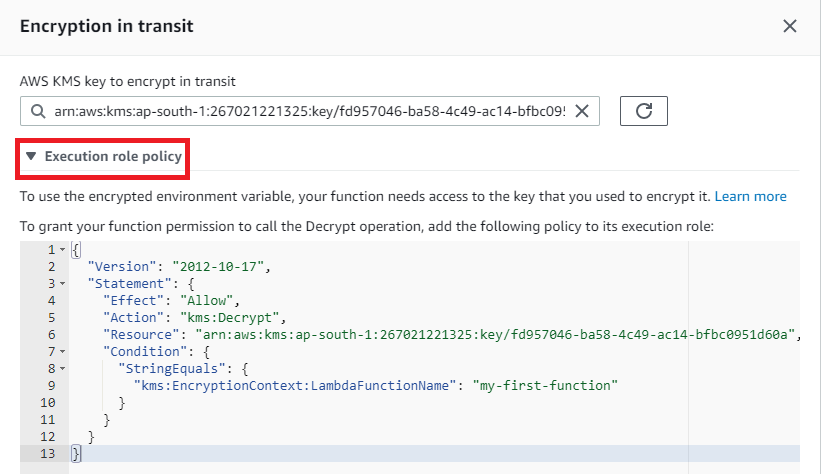
Note that after this change, your Lambda function will need the following two things to be able to use the encrypted value.
- Decrypt the value in your code
- Permissions to decrypt the value
The IAM permissions to be added to your Lambda function’s execution role and the code snippets to decrypt the value, both are are provided by AWS on the same screen where you encrypted the variable in transit. The code snippets will be in the same language as your Lambda function.
Happy coding!